
U-Haul
U-Haul InternationalTravel & Local
3.08.84K Reviews
- Version
- 3.11.0
- Installs
- 5.00M
- Age Rating
- Everyone
Screenshots
Our Review of U-Haul
 Analysis by Appyee
When I’m facing a move, the hard part is rarely just finding a vehicle. I have to line up dates, work out what will fit, arrange help, and keep track of where everything needs to go. The U-Haul app is most useful when I treat it as one place to handle several of those moving tasks, rather than expecting it to plan the whole move for me. It is a free travel and local app from U-Haul International, and its focus is clearly on connecting a move with the company’s trucks, trailers, supplies, and storage.
I would start using it once I know roughly when I’m moving and what kind of help I need. If the date is still uncertain, browsing can help me get oriented, but I would avoid treating an early search as a final plan. Availability and the details of a reservation matter most when the moving date is close enough to commit to. The app is rated for Everyone, and it has an average rating of 3.4 from around 16,000 ratings, so I’d approach it as a practical tool that can be useful while still deserving a careful check before moving day.
Begin with the move you actually have
Before tapping through rental choices, I find it helpful to sketch out the move in ordinary terms: how much furniture is going, whether I need a trailer or a truck, and whether I’ll need supplies or storage as well. That simple preparation makes the app’s options easier to judge. A vehicle that looks convenient on screen is not automatically the right fit for a particular load, route, or parking situation, so I would compare the choices against what I’m moving instead of picking the first available option.
A realistic example is a weekend move from an apartment to a new place across town. I might first check the vehicle options, then look for a nearby pickup location, and consider supplies while I still have time to gather boxes and tape. If the new home is not ready for everything, storage becomes part of the same planning conversation. Handling those decisions together is the app’s strongest idea: it puts several U-Haul-related parts of a move within reach without requiring me to start from scratch in separate places.
What’s the Deal with the U-Haul App?
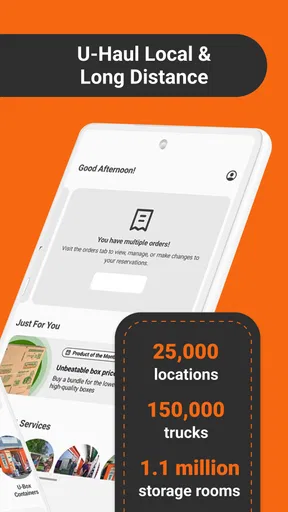
First off, the U-Haul app is like having a moving assistant right in your pocket. It’s designed to help you manage every aspect of your moving process, from renting a truck to finding storage units. The app is available for both Android and iOS, which means it’s got a pretty wide reach.
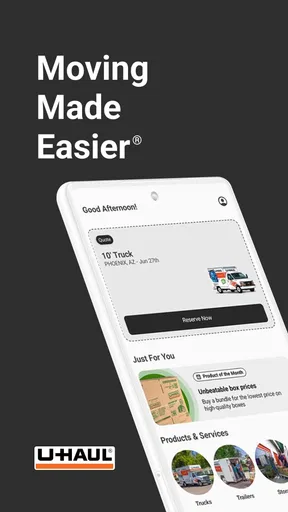
When I first opened the app, I was greeted with a clean and intuitive interface. Everything is laid out in a way that just makes sense, with clear options for renting trucks, trailers, and even moving supplies. It’s like a one-stop shop for all your moving needs.
Features That Stand Out
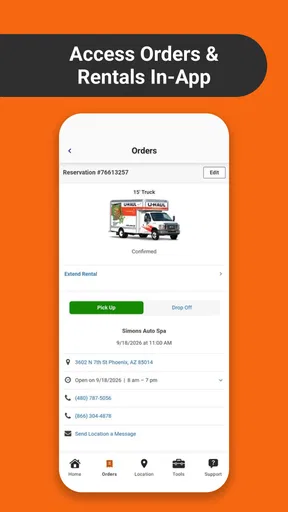
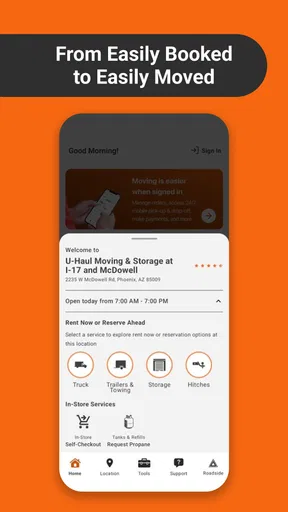
One of the standout features of the app is its reservation system. I was able to quickly reserve a truck with just a few taps. No more endless phone calls or website glitches—just a smooth, seamless process. Plus, the app provides real-time updates on availability, which is super handy if your plans are as unpredictable as mine.
Still, I would use those availability updates as a planning aid, not as permission to leave every decision until the last minute. Moving dates can shift, and a quick reservation flow cannot solve the practical questions of vehicle size, timing, or who will help load it. My tip is to decide what you need before searching, then review the reservation details carefully before you rely on them. That small pause is more valuable than tapping through quickly and discovering a mismatch when the move is already underway.
Another useful workflow is to separate the move into two decisions: what needs to happen on the main moving day, and what can be handled earlier. I’d use the app to look at the vehicle and location options first, then make a separate pass for supplies or storage. This reduces the chance of getting distracted by extras before I know the central logistics work. If a storage unit is part of the plan, I’d think through access and timing with the same care as the truck pickup; the app can bring the choices together, but I still need to make sure the handoff fits my day.
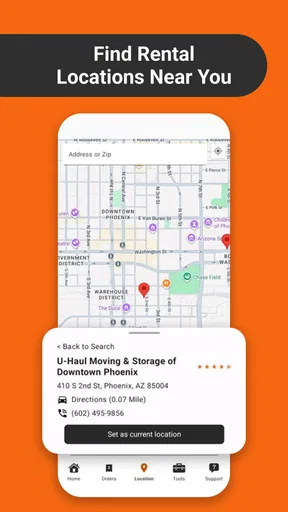
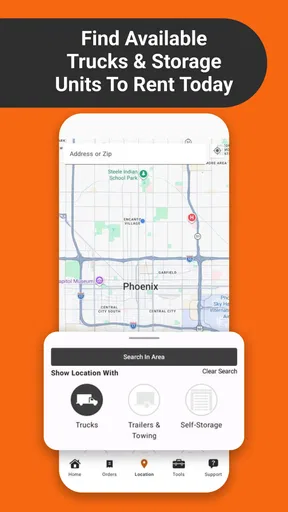
Another nifty feature is the location finder, which helps you locate U-Haul centers nearby. The GPS integration is spot-on, showing you exactly where to pick up your rental or drop off supplies. It takes the guesswork out of navigating new areas, which is a relief when you're already stressed about moving.
For a smoother handoff, I would check the location before I set out, especially if I’m going somewhere unfamiliar or coordinating with another person. A map pin is useful, but it is not a substitute for confirming that the selected center is the one connected to my reservation. I’d also share the pickup and drop-off plan with anyone helping me, rather than assuming they can infer it from a text saying “meet me there.” That is a small detail, but moving days get tangled when different people are working from different assumptions.
The app’s biggest advantage over a general map or a collection of separate local searches is that the locations sit in the context of U-Haul’s moving services. A map can help me find nearby businesses, and a phone call can answer a specific question, but neither is as convenient for moving between rental, supply, and storage planning in one place. On the other hand, if I only need directions, a general maps app is simpler. And if I’m comparing several moving companies, I would not rely on a single provider’s app as my entire research process; I’d compare options before committing.
Oh, and let’s not forget about the customer service. The app makes it easy to contact support if you run into any snags. I had a minor hiccup with my reservation, and I was able to get it sorted quickly through the chat feature. It’s like having a direct line to someone who’s got your back.
That support route can be reassuring when a reservation question comes up, but I’d still keep my plans and confirmation details easy to find. If the issue affects pickup timing or the vehicle I’m counting on, I would contact support before setting off rather than hoping it resolves itself at the counter. The app can make it easier to reach help; it cannot remove the need to explain the problem clearly or allow time for an answer.
Who gets the most from it—and when I’d look elsewhere
I see the best fit for someone who has already decided to use U-Haul and wants to organize the practical pieces on a phone. It is especially handy when a move involves more than one task, such as arranging a vehicle while also thinking about supplies or temporary storage. People moving locally can use the location finder to make pickup and drop-off planning less abstract, while someone relocating farther away may value having the rental process close at hand as plans develop.
I would be less enthusiastic about relying on it if I were still deciding whether to rent a truck at all. The app is tied to one provider, so it is not a neutral comparison tool for every rental company or moving method. Someone with a small load, a vehicle already available, or a move that can be handled by delivery might be better served by comparing those alternatives first. Likewise, if the main need is broad advice about routes, neighborhood services, or general travel, a travel app or local search tool is a more natural starting point.
There is also a practical distinction between planning a move and executing one. A phone is convenient while arranging things at home, but moving day can mean gloves, boxes, a busy parking area, and a battery that is already being used for calls and navigation. I’d save the key details somewhere accessible and make sure the people involved know the plan. That way, the app supports the handoff rather than becoming the only place anyone can find the information.
What happens between reservation and arrival
A reservation is only one link in the chain. I’d think through who is collecting the vehicle, who can drive it, where loading will happen, and how the return or drop-off fits around unloading. The app can help with the U-Haul side of that sequence, but it cannot coordinate friends’ schedules or make a narrow driveway easier to use. Those details are worth sorting out before confirming a plan, particularly when several people are sharing the work.
For a move that includes storage, I would avoid treating “truck booked” as the finish line. I’d map the order of events: collect the vehicle, load the items going to the new home, divert the items going into storage, and leave enough time to complete the handoffs. If there are belongings I’ll need immediately, I’d keep them separate from the storage load. This is not a special app feature; it is a workflow choice that makes the app’s rental and storage options more useful in real life.
One non-obvious trade-off is that putting multiple moving tasks in one app can simplify planning while also making me more dependent on a single provider’s availability and process. That convenience is worthwhile when U-Haul is already my choice. If a location or date does not suit the move, I would step back and compare alternatives instead of forcing the rest of the plan around the app’s first convenient result. The right tool should fit the move, not the other way around.
How to judge the result on moving day
I’d call the app successful if it helps me turn scattered decisions into a workable sequence: choose an appropriate rental, know where the handoff happens, and remember the supplies or storage decisions that belong with it. Its value is less about eliminating every stressful moment and more about reducing the number of separate searches and calls I have to make. That is a meaningful difference when I’m juggling a move, but it is not the same as having every detail handled automatically.
If something changes, I would revisit the plan rather than assuming the original choices still fit. A delay, a change in how much I’m moving, or a new storage need can affect the whole sequence. I’d check the reservation and location details again, then contact support if a change creates uncertainty. The app is most helpful when I use it actively as the move takes shape, not when I book once and stop checking.
U-Haul International has built a recognizable moving service around the app, and the app has reached more than 5 million installs. It was released in September 2016, and version 3.8.8 requires Android 8.0 or later. Those details make it worth checking device compatibility before downloading if you have an older Android phone. The app is free to download, though I would distinguish that from the costs of any rental, supplies, or storage I choose; I’d review the terms for the specific service before committing.
Where the flow can break
The main friction is that an easy interface can make complicated logistics feel simpler than they are. A few taps can start a reservation, but they do not tell me whether my load will fit, whether my helpers can meet the schedule, or whether the pickup and return locations work for everyone. I would treat the app as a useful organizer, then double-check the decisions that have real consequences for the day.
Another limitation is that the experience is most valuable inside the U-Haul ecosystem. If I want a broad comparison of vehicle providers, a general search or direct inquiries will give me a wider view. If I need only a location map, a standard maps app may be faster. And if I’m not ready to choose a moving method, I’d compare renting, borrowing, and other ways of transporting my belongings before leaning on a rental app.
The average rating of 3.4 reflects a mixed response from users, and there are around 8,300 written reviews. I take that as a reminder to keep expectations practical: the app can make common arrangements more convenient, but a smooth screen does not guarantee a flawless handoff in every situation. I would pay attention to the details shown for my own reservation and allow room in the schedule for questions or changes.
My recommendation for a real move
If I were helping a friend move, I’d suggest installing it when they are ready to explore U-Haul rentals, rather than waiting until the night before. I’d have them decide what is moving, check the available options, confirm the location, and then share the plan with whoever is helping. If supplies or storage are part of the job, I’d handle those as separate decisions within the same planning session so they do not get forgotten behind the vehicle booking.
That approach answers the most useful question about the app: it is not a magic moving checklist, but it can be a convenient control point for U-Haul-related arrangements. I would use it when I want a truck, trailer, supplies, or storage from the same provider and can take a moment to verify each handoff. I would skip it as my main solution if I only need general travel help or want to compare the whole market first.
Is It Worth Downloading?
If you’re someone who likes to have everything organized and at your fingertips, then absolutely! The U-Haul app is a must-have for anyone planning a move. It saves time, reduces stress, and makes the whole process a lot more manageable.
From my experience, I’d say the app delivers on its promise to streamline the moving process. Whether you’re moving across town or across the country, having the U-Haul app on your phone can make a world of difference. So why not give it a try and see how it can help you conquer your next big move?
Verdict
Strengths of U-Haul
- Wide range of vehicle options available.
- Easy booking process through the app.
- User-friendly interface for navigation.
- Real-time tracking of your rental.
- Flexible rental periods.
Limitations of U-Haul
- Limited customer support options.
- Occasional app crashes reported.
- High demand may affect availability.
- Additional fees can be unclear.
- Requires a strong internet connection.
Similar Picks in This Category
View All
Google Maps
Google LLC3.4

Google Maps Go
Google LLC4.1

Booking.com: Hotels & Travel
Booking.com Hotels & Vacation Rentals4.8

Google Earth
Google LLC3.8

Skyscanner Flights Hotels Cars
Skyscanner Ltd4.8

trivago: Compare hotel prices
trivago N.V.4.4
Frequently Asked Questions
What services does the U-Haul app provide?
The U-Haul app offers a comprehensive range of services for your moving needs. You can reserve trucks, trailers, and storage units, as well as purchase moving supplies. Additionally, the app provides features for managing your rental, tracking orders, and accessing support, making it a one-stop solution for all things moving.
How user-friendly is the U-Haul app for first-time users?
The U-Haul app is designed with user-friendliness in mind, featuring a clean and intuitive interface. It offers a step-by-step guide for booking and managing rentals, along with helpful tutorials and FAQs. First-time users typically find it easy to navigate and complete transactions quickly and efficiently.
Is it possible to modify or cancel reservations through the app?
Yes, the U-Haul app allows you to modify or cancel reservations directly. Users can access their bookings, make changes to dates, times, or equipment, and cancel if necessary. It’s important to note that changes and cancellations might be subject to terms and conditions, which are detailed within the app.
What security measures are in place for payment and personal information?
The U-Haul app prioritizes user security by implementing robust encryption protocols for all transactions. Personal information and payment details are securely handled, with continuous monitoring to prevent unauthorized access. Users can feel confident that their data is protected while using the app’s services.
Does the U-Haul app offer customer support?
Yes, the U-Haul app provides multiple customer support options. Users can access 24/7 chat support, call customer service directly, or find answers in the extensive help section. The app is designed to assist with any issues or questions, ensuring a smooth experience for all users.
